

Local community of Berscheid


Discover Berscheid in the southern Eifel!

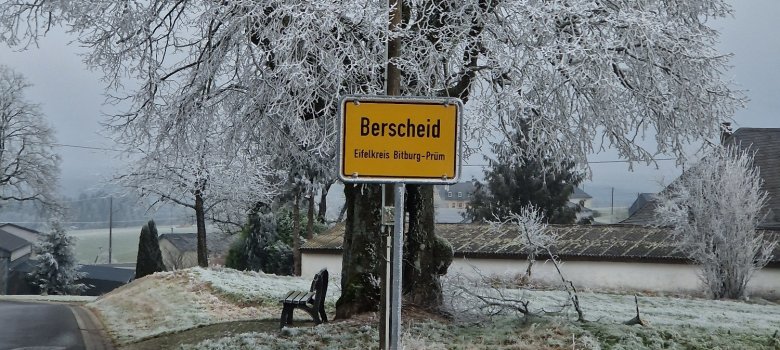
Berscheid, a picturesque village in the Eifel district of Bitburg-Prüm in Rhineland-Palatinate, is idyllically situated in the South Eifel Nature Park. The municipality comprises the residential areas of Höhhof, Kandlerhof and Schiershof as well as part of the hamlet of Gaymühle. First mentioned in the 12th century as "Bersheit", Berscheid can look back on a long and eventful history.

Public facilities:

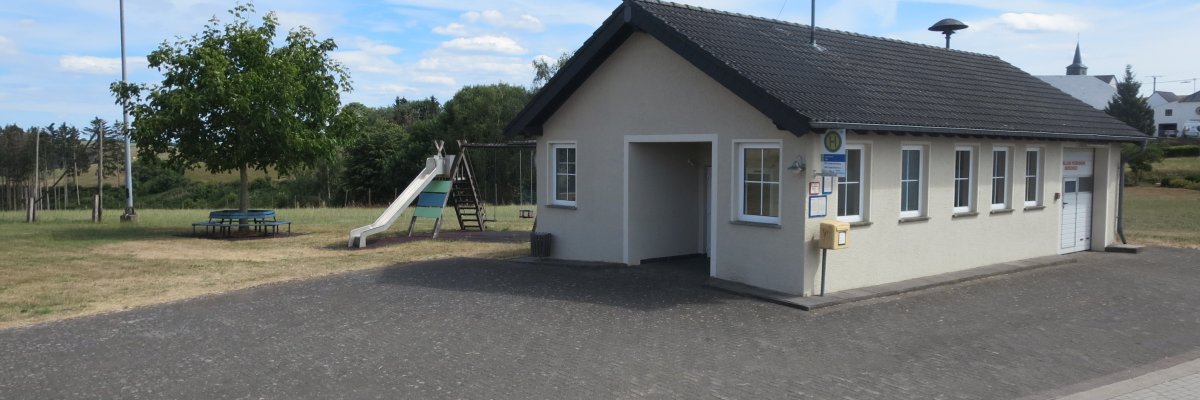
Berscheid has a village hall, a small sports field and a children's playground.

Sights and culture:

  • Historic chapel: A chapel was mentioned in Berscheid as early as 1654, testifying to the deeply rooted religious tradition of the village.

Nature and leisure:

  • Hiking and cycling tours: The area around Berscheid offers numerous hiking and cycling trails through the varied landscape of the Southern Eifel. Particularly recommended is the "Eifelsteig", a 313-kilometer long-distance hiking trail that also passes through Berscheid.

Traditional events:

  • Village festivals: Berscheid cultivates its traditions with regular village festivals that offer an insight into local customs. In addition to the funfair, the MB-Trac meeting is particularly well-known beyond the region. Current events in the region can be found in the Eifel events calendar.

Experience the harmonious combination of history, culture and nature in Berscheid and be enchanted by the idyllic landscape of the Southern Eifel!

Help with accessibility

  • General

    We endeavor to make our websites accessible. You can find details on this in our accessibility statement. You can send us suggestions for improvement via our feedback form Report accessibility.

  • Font size

    To adjust the font size, please use the following key combinations:

    Larger

    ⌘command
    +

    Smaller

    ⌘command

    Larger

    Ctrl
    +

    Smaller

    Ctrl
  • Keyboard navigation

    Use TAB and SHIFT + TAB to navigate through next/previous links, form elements and buttons.

    Use ENTER to open links and interact with elements.

  • Contrast mode

    Press the following key combination to reduce or increase the contrast:

    Enlarge

    ⌃control
    ⌥option
    ⌘command
    .

    Decrease

    ⌃control
    ⌥option
    ⌘command
    ,
    Note: The shortcuts must be activated in the system settings of the operating system.

    Press the left ALT key + left SHIFT key + PRINT to quickly switch the high contrast mode on or off.

  • Invert colors

    Press the following key combination to switch color inversion on and off:

    ⌃control
    ⌥option
    ⌘command
    8
    Note: The shortcuts must be activated in the system settings of the operating system.

    First activate the screen magnifier and then switch the color inversion on and off with the following key combinations:

    1. screen magnifier

    +

    2. invert colors

    Ctrl
    Old
    I
  • Screen magnifier

    Press the following key combinations to use the screen magnifier:

    Switch on/off

    ⌥option
    ⌘command
    8

    Enlarge view

    ⌥option
    ⌘command
    =

    Reduce view

    ⌥option
    ⌘command
    Note: The shortcuts must be activated in the system settings of the operating system.

    Switch on / Enlarge view

    +

    Reduce view