

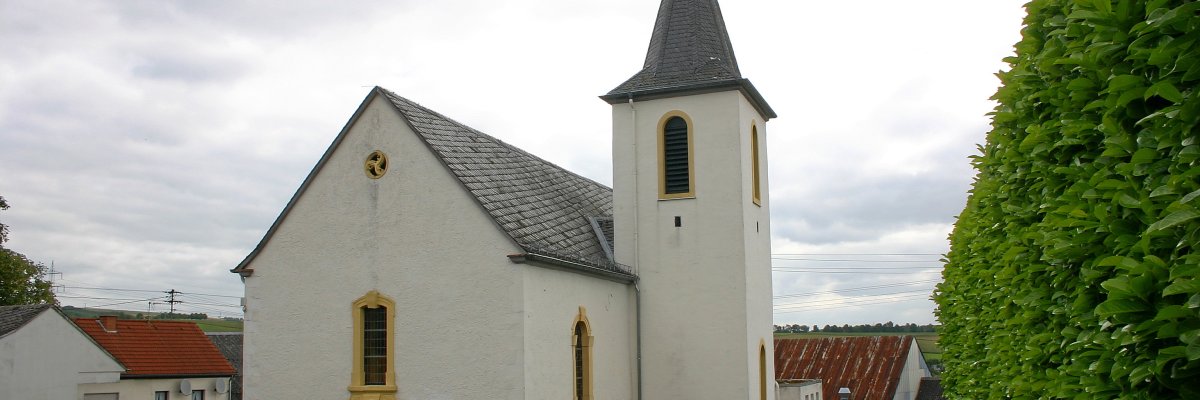
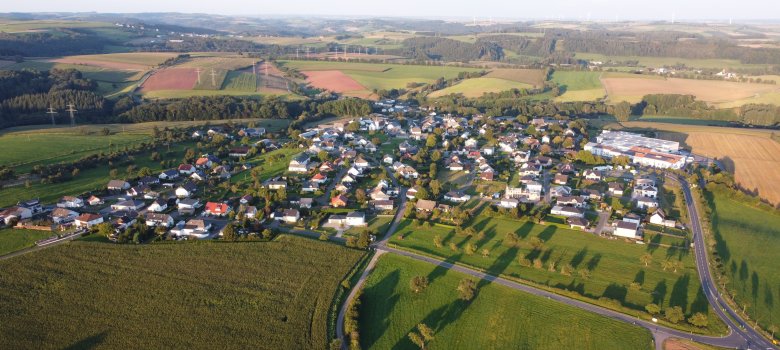
Landscape photos of the local community of Geichlingen

Local community of Geichlingen

Landscape photos of the local community of Geichlingen


Discover Geichlingen in the southern Eifel!

Geichlingen, a conveniently located village in the Eifel district of Bitburg-Prüm in Rhineland-Palatinate, is picturesquely situated on the western edge of the Southern Eifel, not far from the Luxembourg border and the historic town of Vianden. The first documented mention of the village dates back to 1096, when Gerhard von Vianden donated his farm in Geichlingen to Echternach Abbey.

Public facilities:

Geichlingen has a village hall, a sports field with a barbecue hut and a children's playground.

Sights and culture:

  • Historic village church: The parish church of St. Laurentius consists of a hall building from 1757, which was extended to the east in 1822. On the south side is a presumably medieval tower, supplemented by a modern sacristy with a flat roof.

Nature and leisure:

  • Circular hiking trail no. 40 - Geichlingen: This circular trail leads through Geichlingen and over the heights to the south, mostly along field paths with unobstructed views, and offers hikers impressive landscape experiences.
  • Hiking tips around Geichlingen: The surrounding area offers numerous hiking trails that lead through the varied landscape of the Southern Eifel and provide nature lovers with a variety of impressions.

Traditional events:

  • Quetschenfest: Every year in September, Geichlingen celebrates the Quetschenfest, a traditional plum festival with regional specialties and convivial get-togethers.
  • Big Mallorcaparty: In June, the municipality organizes an exuberant party with live music and entertainment that attracts visitors from all over the region.

Experience the harmonious combination of history, culture and nature in Geichlingen and be enchanted by the idyllic landscape of the southern Eifel!

Help with accessibility

  • General

    We endeavor to make our websites accessible. You can find details on this in our accessibility statement. You can send us suggestions for improvement via our feedback form Report accessibility.

  • Font size

    To adjust the font size, please use the following key combinations:

    Larger

    ⌘command
    +

    Smaller

    ⌘command

    Larger

    Ctrl
    +

    Smaller

    Ctrl
  • Keyboard navigation

    Use TAB and SHIFT + TAB to navigate through next/previous links, form elements and buttons.

    Use ENTER to open links and interact with elements.

  • Contrast mode

    Press the following key combination to reduce or increase the contrast:

    Enlarge

    ⌃control
    ⌥option
    ⌘command
    .

    Decrease

    ⌃control
    ⌥option
    ⌘command
    ,
    Note: The shortcuts must be activated in the system settings of the operating system.

    Press the left ALT key + left SHIFT key + PRINT to quickly switch the high contrast mode on or off.

  • Invert colors

    Press the following key combination to switch color inversion on and off:

    ⌃control
    ⌥option
    ⌘command
    8
    Note: The shortcuts must be activated in the system settings of the operating system.

    First activate the screen magnifier and then switch the color inversion on and off with the following key combinations:

    1. screen magnifier

    +

    2. invert colors

    Ctrl
    Old
    I
  • Screen magnifier

    Press the following key combinations to use the screen magnifier:

    Switch on/off

    ⌥option
    ⌘command
    8

    Enlarge view

    ⌥option
    ⌘command
    =

    Reduce view

    ⌥option
    ⌘command
    Note: The shortcuts must be activated in the system settings of the operating system.

    Switch on / Enlarge view

    +

    Reduce view