

Körperich elementary school

Körperich elementary school
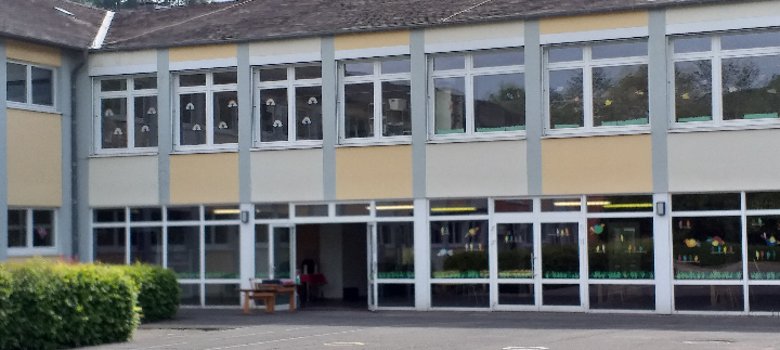
Exterior view of Bollendorf elementary school


Welcome to Körperich Primary School

Die Grundschule St. Hubertus in Körperich bietet Schülerinnen und Schülern aus Körperich und umliegenden Gemeinden eine moderne und familiäre Lernumgebung. Aktuell werden 122 Kinder in 7 Klassen unterrichtet, unterstützt von einem Betreuerteam für die Betreuung vor und nach dem Unterricht. Die Schule legt Wert auf Digitalisierung mit digitalen Tafeln und iPads, fördert jedoch weiterhin traditionelle Fähigkeiten wie das Handschreiben. Ein respektvolles Miteinander und enge Zusammenarbeit mit Eltern und der benachbarten Kindertagesstätte St. Hubertus prägen das Schulleben.

Entitlement to free learning materials?

Submit your application here! (All important information can be found in the information sheet)

No forms/procedures found.


Help with accessibility

  • General

    We endeavor to make our websites accessible. You can find details on this in our accessibility statement. You can send us suggestions for improvement via our feedback form Report accessibility.

  • Font size

    To adjust the font size, please use the following key combinations:

    Larger

    ⌘command
    +

    Smaller

    ⌘command

    Larger

    Ctrl
    +

    Smaller

    Ctrl
  • Keyboard navigation

    Use TAB and SHIFT + TAB to navigate through next/previous links, form elements and buttons.

    Use ENTER to open links and interact with elements.

  • Contrast mode

    Press the following key combination to reduce or increase the contrast:

    Enlarge

    ⌃control
    ⌥option
    ⌘command
    .

    Decrease

    ⌃control
    ⌥option
    ⌘command
    ,
    Note: The shortcuts must be activated in the system settings of the operating system.

    Press the left ALT key + left SHIFT key + PRINT to quickly switch the high contrast mode on or off.

  • Invert colors

    Press the following key combination to switch color inversion on and off:

    ⌃control
    ⌥option
    ⌘command
    8
    Note: The shortcuts must be activated in the system settings of the operating system.

    First activate the screen magnifier and then switch the color inversion on and off with the following key combinations:

    1. screen magnifier

    +

    2. invert colors

    Ctrl
    Old
    I
  • Screen magnifier

    Press the following key combinations to use the screen magnifier:

    Switch on/off

    ⌥option
    ⌘command
    8

    Enlarge view

    ⌥option
    ⌘command
    =

    Reduce view

    ⌥option
    ⌘command
    Note: The shortcuts must be activated in the system settings of the operating system.

    Switch on / Enlarge view

    +

    Reduce view