

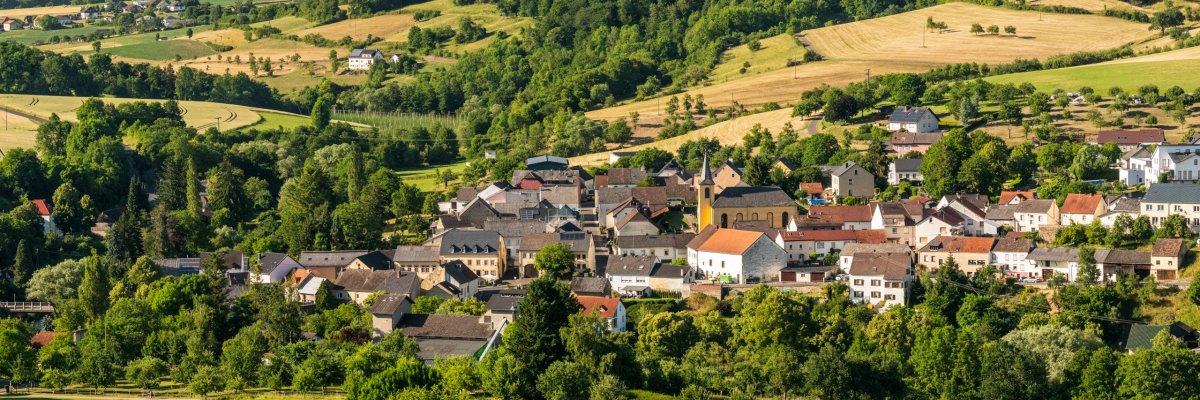
Landscape photos of the Klausnerweg Prümtal

Local community of Nusbaum

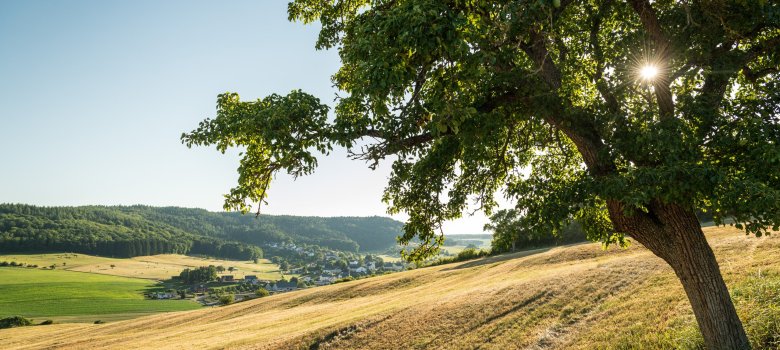
Landscape photos of the Klausnerweg Enztal


Discover Nusbaum in the southern Eifel!

Nusbaum is an idyllic village in the Eifel district of Bitburg-Prüm in Rhineland-Palatinate and is part of the Südeifel association municipality. The municipality is located in the Südeifel Nature Park and, in addition to the main town, also includes the districts of Freilingen with the hamlet of Freilingerhöhe and the hamlets of Nusbaumerhöhe, Rohrbach, Silberberg and Stockigt.

Public facilities:

Nusbaum has a village hall, a sports field and a children's playground.

Sights and culture:

  • Historical sites: The region around Nusbaum was already inhabited in the Bronze Age, as evidenced by the discovery of burial mounds. These archaeological sites offer a fascinating insight into the early history of the region. Another important landmark is the Fraubillen cross, which is located in the district of Nusbaum and is also represented in the coat of arms of the local community.
  • Wind farm: Nusbaum is an important wind power location in the region. The 14 turbines at the site can supply over 15,000 households with environmentally friendly electricity.

Nature and leisure:

  • Hiking trails: The area around Nusbaum offers numerous hiking trails, including the South Eifel Nature Park circular trail no. 51, which leads through dense forests and idyllic villages such as Rohrbach, Schwarzenbruch, Kruchten and Freilingerhöhe.
  • Cycling: The gentle hills and well-maintained paths invite you to go on bike tours and explore the charming landscape of the southern Eifel.

Traditional events:

  • Village festivals: Nusbaum cultivates its traditions with regular events that keep local customs alive. Current events can be found in the municipality's events calendar.

Experience the harmonious combination of history, culture and nature in Nusbaum and be enchanted by the idyllic landscape of the Southern Eifel!

Help with accessibility

  • General

    We endeavor to make our websites accessible. You can find details on this in our accessibility statement. You can send us suggestions for improvement via our feedback form Report accessibility.

  • Font size

    To adjust the font size, please use the following key combinations:

    Larger

    ⌘command
    +

    Smaller

    ⌘command

    Larger

    Ctrl
    +

    Smaller

    Ctrl
  • Keyboard navigation

    Use TAB and SHIFT + TAB to navigate through next/previous links, form elements and buttons.

    Use ENTER to open links and interact with elements.

  • Contrast mode

    Press the following key combination to reduce or increase the contrast:

    Enlarge

    ⌃control
    ⌥option
    ⌘command
    .

    Decrease

    ⌃control
    ⌥option
    ⌘command
    ,
    Note: The shortcuts must be activated in the system settings of the operating system.

    Press the left ALT key + left SHIFT key + PRINT to quickly switch the high contrast mode on or off.

  • Invert colors

    Press the following key combination to switch color inversion on and off:

    ⌃control
    ⌥option
    ⌘command
    8
    Note: The shortcuts must be activated in the system settings of the operating system.

    First activate the screen magnifier and then switch the color inversion on and off with the following key combinations:

    1. screen magnifier

    +

    2. invert colors

    Ctrl
    Old
    I
  • Screen magnifier

    Press the following key combinations to use the screen magnifier:

    Switch on/off

    ⌥option
    ⌘command
    8

    Enlarge view

    ⌥option
    ⌘command
    =

    Reduce view

    ⌥option
    ⌘command
    Note: The shortcuts must be activated in the system settings of the operating system.

    Switch on / Enlarge view

    +

    Reduce view