

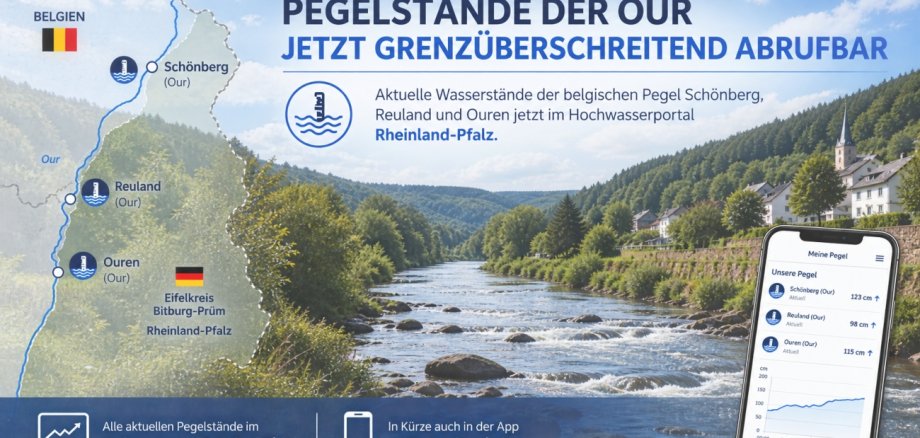
Belgian water levels on the Our River are now available on the Rhineland-Palatinate Flood Portal

This integration was made possible by a cross-border initiative: Following a joint discussion with the mayors and other representatives of the aforementioned towns, the request to incorporate Belgian water level data was forwarded to the State Office for the Environment through the project office “Eifelkreis Verbindet.” The proposal was taken up there and has now been successfully implemented.

The additional measurement data is particularly important during heavy rainfall events and as flood levels rise. Since the three gauges are located in the upper reaches of the Our on Belgian territory, their water levels can provide important indications of how the flood situation will develop along the Our—and thus also of the potential situation in the Eifelkreis Bitburg-Prüm district.

Especially during unusual weather conditions, this additional information allows for an early assessment of the situation and can thus help to inform the public in a timely manner about a potential flood risk.

The three gauges mentioned above will also soon be available in the “My Gauges” app. This will make it possible to conveniently check current water levels on the go in the future.

Help with accessibility

  • General

    We endeavor to make our websites accessible. You can find details on this in our accessibility statement. You can send us suggestions for improvement via our feedback form Report accessibility.

  • Font size

    To adjust the font size, please use the following key combinations:

    Larger

    ⌘command
    +

    Smaller

    ⌘command
    –

    Larger

    Ctrl
    +

    Smaller

    Ctrl
    –
  • Keyboard navigation

    Use TAB and SHIFT + TAB to navigate through next/previous links, form elements and buttons.

    Use ENTER to open links and interact with elements.

  • Contrast mode

    Press the following key combination to reduce or increase the contrast:

    Enlarge

    ⌃control
    ⌥option
    ⌘command
    .

    Decrease

    ⌃control
    ⌥option
    ⌘command
    ,
    Note: The shortcuts must be activated in the system settings of the operating system.

    Press the left ALT key + left SHIFT key + PRINT to quickly switch the high contrast mode on or off.

  • Invert colors

    Press the following key combination to switch color inversion on and off:

    ⌃control
    ⌥option
    ⌘command
    8
    Note: The shortcuts must be activated in the system settings of the operating system.

    First activate the screen magnifier and then switch the color inversion on and off with the following key combinations:

    1. screen magnifier

    +

    2. invert colors

    Ctrl
    Old
    I
  • Screen magnifier

    Press the following key combinations to use the screen magnifier:

    Switch on/off

    ⌥option
    ⌘command
    8

    Enlarge view

    ⌥option
    ⌘command
    =

    Reduce view

    ⌥option
    ⌘command
    –
    Note: The shortcuts must be activated in the system settings of the operating system.

    Switch on / Enlarge view

    +

    Reduce view

    –